

Why email marketing is important
From the day a customer gives their email away and says yes to cookies, all their activity on your website can be recorded and tracked. This allows for more personal marketing — but it's no wonder every website tries to lure sign-ups with the promise of "10% off your first purchase" or "be in to win the trip of a lifetime." It works.
The downside is that you can end up with large email databases of one-time purchasers and unengaged contacts. If you don't take the time to tidy up, you'll run into trouble.
Things are changing. Too many people not opening your emails could mean they all go straight to spam. Even your existing customers and highly engaged prospects.
Email sender reputation
The average US person receives a huge 121 emails per day.
To stop us all going insane, Internet Service Providers (ISPs) are becoming stricter on which emails make it to our inboxes. Because of this, about 45% of emails are sent to spam. So… what decides if you'll make the cut?
Your email sender reputation is what prevents your emails from falling into oblivion.
How to stop your emails from going to spam
Your email sender reputation is built from two primary factors: IP reputation and domain reputation.
IP reputation
IP addresses are often shared between senders as they are expensive to own privately. When using a shared IP, the behaviour of other senders in your pool will affect your IP reputation. You can easily check if your IP is blacklisted with tools like apivoid or EasyDMARC.
Domain reputation
The following factors build your domain reputation (HubSpot benchmarks):
- Open rate: 27% or higher
- Click-through rate: 8% or higher
- Hard bounce: 0.3% or lower
- Unsubscribe: 0.35% or lower
- Spam report rate: below 0.01%
If you constantly underperform below the above levels, you'll end up with a lower domain reputation. The result will be lower email deliverability — for everyone in your database.
How can you know what your email sender reputation is?
Some marketing automation tools and CRMs have a dashboard that will tell you your score. If your CRM doesn't, you can use a tool like Google Postmaster Tools (you'll have to add a TXT record to your DNS to verify it).
How to fix a bad email reputation
You've sent 10,000 emails to a database you acquired via a third party and got a 6% unsubscribe rate, a 1% bounce rate, and a 5% open rate. You're in the bad books. Your customers are not getting your newsletter and EDMs anymore. What's next?
Thankfully, you can fix it. These steps are best practice and should be done regardless of where you currently sit with email reputation.
1. Separate transactional and marketing email domains
Ideally, this should be done from the start — you should have one sub-domain and dedicated IP for transactional emails and one for marketing emails. This means the score of your marketing domain won't affect the deliverability of your transactional emails.
For example, you could have @news.yourbrand.com and @sales.yourbrand.com. Or, if you're sending purchase/thank-you emails from Shopify and your newsletter from Mailchimp, link the transactional email to Shopify and the marketing one to Mailchimp. If you're sending all emails from the same platform (HubSpot or ActiveCampaign), link more than one email address — one for marketing and one for transactions.
2. Hang low, aim high
Send your emails to people you know will open them, until your score improves. If you're doing a newsletter or any big-volume send, exclude unengaged contacts. HubSpot has a simple tickbox for this (and you should tick it most of the time). In other tools, create segments of contacts who haven't opened your last six emails and choose not to send to them.
3. Timing is king
If you have access to an automation tool that can send emails based on web visits or nurture workflows, open the valve. The best open rates often happen when your prospect is actively engaging with your website.
It doesn't need to be creepy ("Hey Jordan, we know you've been looking at our new sock collection"). You can create a few newsletter-style emails targeting specific product categories, and enrol existing contacts when they visit certain pages. You'll notice they're much more receptive — it's all about timing.
4. Make sure your unsubscribe link works
Have you ever unsubscribed from a newsletter and then kept getting it, so you flagged it as spam? A "mark as spam" is much more damaging for email reputation than an unsubscribe. That means the automation behind it and the lists are poorly set up. Make sure your unsubscribe is working properly.
Over time, the above tactics should help you improve your email reputation and ensure that everyone gets your emails.
How to market to soft leads
If you do decide to acquire an email list or you're doing 'fast and cheap' lead generation — a contest, Facebook Lead Ads — consider the following:
- Pass your email list into a validation tool first to check for typos and invalid emails.
- Split the list into segments smaller than your usual sends, and test first to see what results and lead quality you're looking at. If you send a newsletter to 5,000 contacts every two weeks, split your list into 1,000-contact segments and see how each performs.
- Mix and match your current database and your new soft leads to keep your metrics higher.
- Turn on double opt-in in your email-sending platform. That blocks bot subscriptions and people who opted out inadvertently because of phone auto-fill. For Facebook Ads leads, that's a great insurance policy.
- Think about alternative ways to use that list — load it as an audience in Facebook or Google Ads and show them ads to get them to actively subscribe to your emails.
- If it's a small list, reach out one by one and add a newsletter subscription link.
- Respect your sending pattern. If you're sending 2,000 emails every two weeks for your newsletter and suddenly send 5,000 because you've acquired new contacts, it will likely trigger spam filters. Routine is the dream — if you need to increase, do it gradually.
Other tips for a good email reputation
⚠️ Warning
A few extra red flags that send emails straight to spam:
- Avoid spam keywords like Discount, Cheap, Lowest price, Free.
- Balance images and text. Too many or too-large images will trigger filters. Avoid sending an email as one big image — it triggers spam filters and is hard to read on mobile.
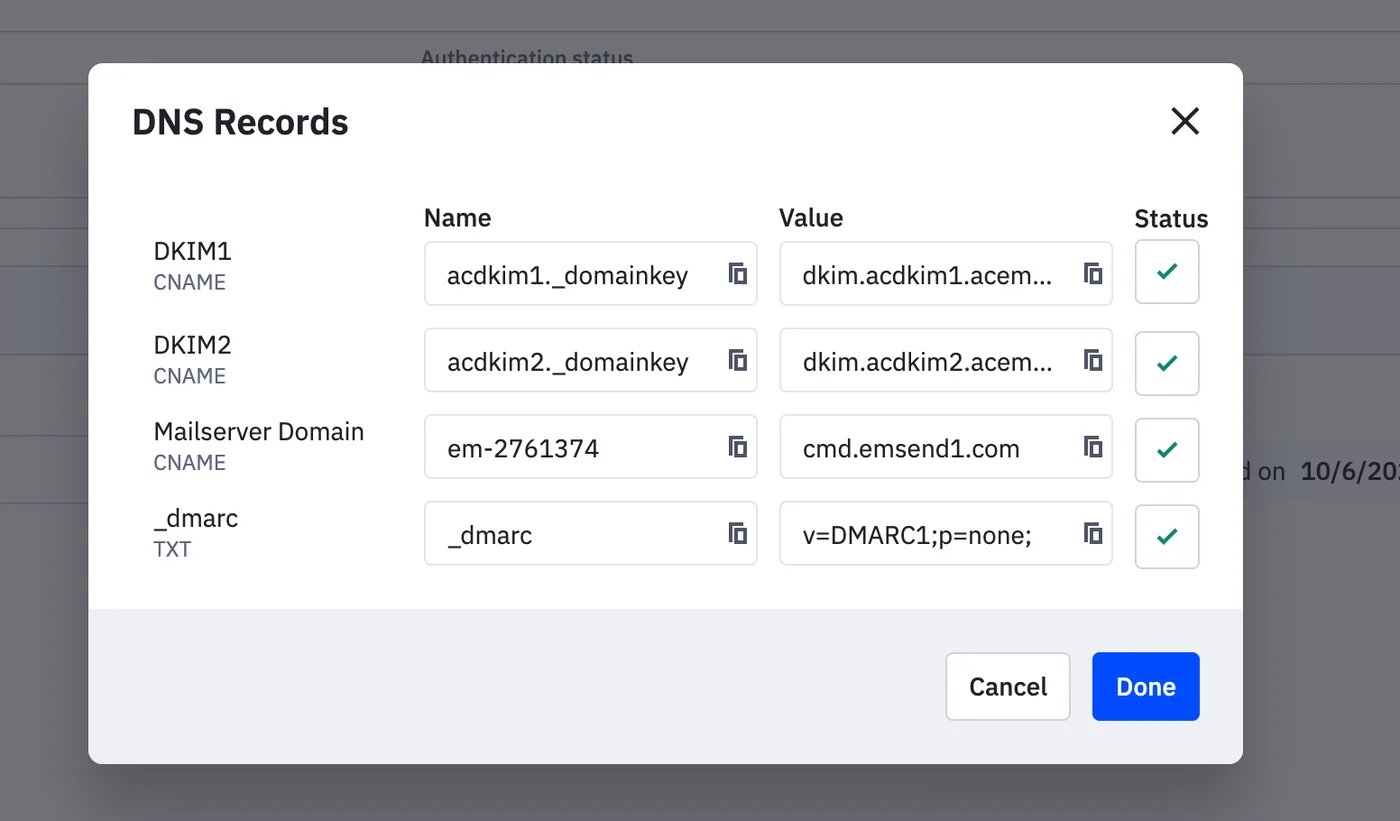
- DMARC & SPF records. For every tool that sends from your domain (Shopify, HubSpot, Mailchimp, ActiveCampaign), complete the authentication process and add the records to your DNS. Use a DMARC inspector to verify.
Happy emailing
In today's environment, email marketing is becoming more and more important. It has huge ROI potential. Follow the above tips to ensure your email marketing makes it to your potential customers.
As a specialist in growth marketing, the Data Story team are experts in email marketing. We can help you map out your customer journey and determine where email fits into your marketing strategy — and we'll make sure you're doing it right.
Contact us to discuss how we can help you with your email marketing.

Written by
Sabrina Poulin
CRM & Automation Specialist
Sabrina is Data Story's HubSpot expert, building CRM systems and marketing automation workflows that save teams time and improve conversion. She has designed lifecycle journeys for luxury accommodation operators, RTOs, and B2B businesses across the region.
LinkedIn